iCreate iLearn
  • Home
  • Learnings (K-5)
  • Designing (6-8)
  • Adventures in Learning
    • STEAM in the Park
    • Learning with CodeJoy 2025
    • Learning with CodeJoy and Pathfinders 2024
    • DENSI 2025
  • Sharing My Learnings
    • 2025 micro:bit Virginia
    • PML Global Goals, Micro:bit, and Forward Education 25
    • DENSI 2025 - Global Goals, Micro:bit, and Forward Education
    • FETC 2025 Using Sustainable Development Goals, Design Thinking, and Technology to Impact Our Community
    • Global Maker Day 2023
    • Tech Integration >
      • LED Build Night
      • Augmented Reality
      • Chromebooks, Google, and Web Resources
      • iPads >
        • Discovery Education
        • Apps to Learn With >
          • Literacy (read to me, read with me, record with me)
          • Movie Making with iPads
          • Screencasting (Capturing Thinking)
          • Read Write Think
          • Tellagami
        • iBooks
      • Tutorials
    • FETC 20 - Transforming 3D Design with Makers Empire
    • FETC 19 - iCreate 3D Printing and Design K-8
    • MACUL - iCreate: Design Thinking Using 3D Design and Printing
    • iCreate: 3D Design and Printing
    • iCreate Construct3D
    • 3D Printing
    • Bloxels
    • Coding Beyond Code.org
    • Empowering Learners
    • iPad as a Making Tool
    • iUse iCreate iLearn Presentation >
      • Pictures from WEMTA
    • iCreate iLearn Presentation
    • Research, Making, and Board Builder
    • WEMTA 2015 - Make It, Shake It, Move It
  • Support
    • Amazon Wish List
    • Donor's Choose Projects
  • About
    • In the News
    • Forward Education Interview
    • Khuttner Youtube

AI For Good (Wks 4/5)

12/5/2025

0 Comments

 
Our AI for Good project started right before Thanksgiving break with using the Forward Education Design Journal to start to Define the Problem. 

Because the micro:bit and Create AI needed to be introduced in different contexts so that designers had some understanding of the tools that they would be using, it took a few weeks to get to the Design Thinking Project because my classes meet every other day and are about 40 minutes long. 

​See blog posts for ​Week 1, Week 2, and Week 3.  
So to start the project, designers were introduced to the Forward Education Design Journal which I have found to be the right mix of structure and support for designers going through the Design Thinking Process.  As teams of two, designers identified problems that students at our school face that they thought AI could possibly help solve.  Using our white tables and expo markers, they brainstormed together.  From the brainstorm, they identified one specific problem and started to define the problem.  
It was in this stage that it became apparent that I needed to model with a sentence stem how they might define a problem.  Instead of problems, many designers were immediately identifying solutions.

So I used this sentence stem as a model.  Notice that it is not the strongest model because after break, we returned to revisit our Defined Problem.  It is important that time pass between parts of the Design Thinking Process so that designers can distance themselves from the first idea they have.  
Picture
I find that to really understand what my designers are being challenged to do, I also need to do the project.  It is easy to hand designers the journal and quickly realize that  it requires modeling and revisions.  So when we revisited the Define the Problem, I used a rubric to analyze how well I was describing the problem, identifying who it affects, and explaining why it needed to be solved.  I found that many teams felt AI could solve everything which I needed to push back on ideas that were too large.  
Picture


​Defining the Problem required revisiting the first draft and really questioning the ideas that I had started with.  From the problem, designers started rapid research which also needed modeling.  Designers struggled to move beyond writing information to actually having insights about that information.  So I needed to make this process more visible through my own rapid research.
​
After doing rapid research, designers reflected on what they learned because not all research is going to be helpful.

Student Reflections on Rapid Research

Run Interviews


From this point, we moved to interviews and why interviews matter.  I shared my questions as well as why it would be important for me to record the interview as many times I am too focused on asking the questions to actually hear all of the answer that is being given. 

​This is where we will start next week with reviewing the interviews to help brainstorm a project prototype.

Teaching Resources

Micro:Bit AI for Good Wk 4/5 by Karie Huttner
0 Comments

AI for Good (Solar Prototype)

11/21/2025

0 Comments

 
This week designers learned about how solar can be an option for producing energy.  Unfortunately during our prototype, it was cloudy.  So designers learned the difference between LED light and sunlight. 

We used the new Forward Education Solar Kit and divided it over two class periods.  First designers did the investigation and research and in the second class period the prototype.  It was a fantastic way to learn about the solar farm that is across the street from our school through a working prototype.

​Now we just need a day of sun!

Instructional Slides

Micro:Bit AI for Good Wk 3 by Karie Huttner
0 Comments

AI for Good (MakeCode and CreateAI)

11/14/2025

0 Comments

 
This week designers started to build an understanding of how to help the micro:bit "Think" in the focus of Sense, Think, Act using MakeCode and micro:bit CreateAI.

Using CodeJoy's video of MakeCode that was created for teachers, I adjusted the video in an Edpuzzle to introduce MakeCode to my designers who used split screen or two tabs to watch and apply the instructional video at the same time.  
They had the option to work with a table partner or alone depending on their learning preference.  Many designers who opted to work with a table partner enjoyed the experience of learning with a partner instead of alone.  After watching the Edpuzzle, designers selected from Level 1 - Use a tutorial in MakeCode, Level 2 - Modify the code from last week's learning activities, or Level 3 - Create a program to solve a problem.

The second day of instruction designers focused on how the micro:bit can be used with AI through the program CreateAI.  This learning activity is a little more difficult so table partners were required to work together to use one of their devices to run the edpuzzle and one of their devices to run micro:bit CreateAI to learn about how to use the program. 
After learning through the use of the Edpuzzle instructional support, each designer was then challenged to use CreateAI to answer the question - "Do all people wave the same?",  "Can CreateAI be trained to notice the difference between how you wave and how your table partner waves?", "How can you edit the code in MakeCode to recognize and show who is waving?".

Designer Reflections


Teaching Resources

Micro:Bit AI for Good Wk 2 by Karie Huttner
0 Comments

AI for Good (Micro:bit Introduction)

11/7/2025

0 Comments

 
This week started our new unit focusing on AI for Good using the micro:bits and Forward Education resources like the Charge.  After attending Amanda Jeane's CodeJoy presentation at the Micro:bit Live Conference in Virginia, I returned to the classroom with some well designed introductory stations for the micro:bit.

I took these activities as a starting point and designed them into Edpuzzle learning activities that introduced a key feature of the micro:bit, introduced the activity, and included a reflection about what was learned by each designer in the learning activity.  

Day 1: Stations (Intro to Micro:bit, Simple Compass, and Bird Calls)

I was going to do all 6 stations at once and then I realized that these three were the best for everyone to experience before the next three.  

These three introduced important concepts like the parts of the micro:bit, the buttons, music, and more.  It was fascinating to see many students experience the compass rose and cardinal directions for the first time.

Day 2: Stations (Garbage Counter, Step Counter, and Sensor Circus)

With the second set of stations, we needed more room to move so three of my classes were able to do the activities in our library.  Of course, the trash counter had to be switched to finding pencils.

The last class of the day we used our commons and outside to have a nice large space to learn and apply the different activities.  These learning activities from CodeJoy were a big success with all of the designers and may have won over a few who thought the micro:bit wasn't that interesting.

Teacher Resources

Micro:Bit AI for Good Wk 1 by Karie Huttner
0 Comments

Games for Change - Final Game Share

11/5/2025

0 Comments

 
This week designers shared their team created games around the themes for this year's Games for Change Student Competition. 

​Some design teams will have the option to submit their game later in the school year to the competition but the resources that we used from the site really helped designers to build a strong understanding of the components of a game and the challenge of modding or creating a new game around an important design challenge.
Picture

Instructional Slides

Games Unit WK 8 by Karie Huttner
0 Comments

The Boy Who Harnessed the Wind (Grade 6)

11/4/2025

0 Comments

 
This is by far one of the favorites of our Design Thinking Stories because it connects to the world and our community as we explore SDG 13 - Climate Action.  The story is a strong example of what young people can do with persistence and ingenuity. 

​During this focus unit, designers learn about circuits using Snap Circuits, 3D design connected to either Makers Empire's Natural Disasters or Climate Change module, and real world applications through Forward Education's Wind Turbine Module.


​Designers also learned about the radio feature of the micro:bit and had fun using the Charge from Forward Education to strap the micro:bit on for the game.
Picture
Grade 6 The Boy Who Harnessed the Wind by Karie Huttner
0 Comments

Game Design Unit - Brainstorming, Research, and Prototyping

10/22/2025

0 Comments

 
I love starting the year with the Game Design Unit because it helps develop several important design concepts that continue to be essential as the year progresses: the ability to engage in learning, play, and reflection as well as the ability to work and play with different designers. 

These skills are essential to any design process because there is also a level of vulnerability in learning, playing, and designing that is a cornerstone to empathy.  This is one of the reasons why our designing is centered in the Global Goals because technology has the ability to impact the greater communities beyond our classroom as well as be used as a powerful tool to teach. 
Games for Change gives my designers the opportunity to explore how games can impact people.  This past week designers started to use the themes for this year to research important facts that need to be incorporated into the final design.  It is exciting to see how teams are using so many different resources and ideas to create their own unique game.  
Games Unit WK 6 by Karie Huttner
Games Unit WK 7 by Karie Huttner
0 Comments

Game Design Unit - Modding and Intro to Games for Change

10/10/2025

0 Comments


This week we transitioned from playing games and identifying the key parts to modding a game and learning about the Games for Change Themes for this year - Theme 1: Outgrow Hunger, Theme 2: Own the Road, and Theme 3: All in for Nature.

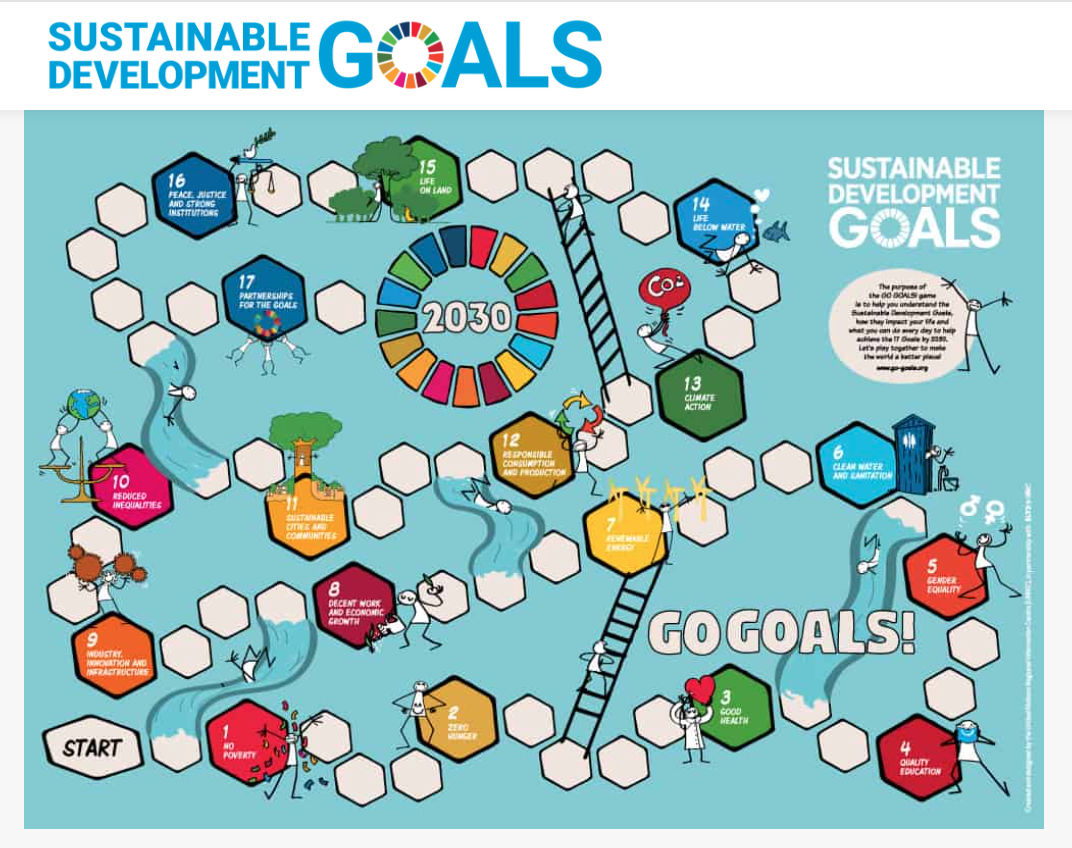
Using GoGoals and the Epic Dot game, designers modded the game to include parts of the dot game as well as the cards from GoGoals to create their own unique Sustainable Development Goals game.

Each partnership modded the game in different ways which supported the idea that you don't need to start from zero to create a fun interactive game. 

​Next designers took a quiz about the Sustainable Development goals to find out which goals were the most important to them.  Lastly designers explored the themes for this year's Games for Change student design competition.

Instructional Resources

Games Unit Wk 5 by Karie Huttner
0 Comments

3D Printing Certifications

10/10/2025

0 Comments

 
One area that I continue to want to promote student agency is with our 3D printers.  In the past, I have been the one to transfer files to the SD cards for designers.  This year we are trying a different approach of having leveled certifications that hopefully will promote more independent use of our 3D printers.

​With the introduction of Easy Print on the Printables website, designers can now slice and control the supports, time, and material for their print using instructional videos that I have created for them step by step.
Almost all designers have passed certification level 1 and several have already completed certification level 2.  In a week, I will introduce Tinkercad for level 3 certification.
​
Picture
0 Comments

Animal Crossings (Grade 6)

10/8/2025

0 Comments


​This week designers learned about the impact of overpasses and underpasses for animal safety throughout the world.  One modification from previous years with this STEM story is the Ozobot Bridge Challenge.  Designers learned how to use Ozoblockly to code the ozobots.


​Using the Ozobot Bridge Challenge by Hannah Irion-Frake from the Ozobot Classroom resources, designers used popsicle sticks to apply concepts from Makers Empire's Strong Structures learning module as well as research on specific animals to design their crossing.
Picture

Student Designed Animal Crossings

Picture

Teaching Resources

Grade 6 WK 4 Crossings by Karie Huttner
0 Comments

Adventures in 3D Printing Whaleberry Shoes

9/26/2025

0 Comments

 
Over the summer, I stumbled upon a post in Bambu MakerWorld about the Whaleberry 3D printed shoes and realized what an amazing file this would be to introduce designers to the power of using 3D printing.

I started by creating a clear version that I accidentally undersized to test how well it would print.  I had never had success with TPU or a 2+ day of printing.  The shoes turned out beautiful and the perfect size for one of my students who debuted them and tested them.

Next I printed using color changing TPU in a size 8 female shoe.  It also turned out really amazing.  Since then, I have printed a size 9 in color changing until it ran out and half of the shoe ended up clear and lastly one more pair of clear size 9 shoes.
0 Comments

Here Comes the Garbage Barge (Wks 3 and 4)

9/26/2025

0 Comments

 
Designers in 6th grade launched into a study of how the ocean is impacted by garbage through the Design Thinking Story - Here Comes the Garbage Barge.  Using Makers Empire's learning and building module Oceans of Trash, designers learned about different issues that are faced around the world as well as connecting it to 3D design in the Makers Empire design software.  We learned how to code the micro:bit to create our own garbage counting device that we used to track the garbage in our own playground.​
​This transitioned into how machine learning and artificial intelligence can play a role in addressing global concerns using AI for Oceans from Code.org and learning about how to create data sets using Google Machine Learning. 

​This week designers learned about Public Service Announcements and did research to create their own PSA about their marine animal.
Picture

Instructional Slides

Grade 6 WK3 Here Comes the Garbage Barge by Karie Huttner
0 Comments

Learning About Games (Game Design Unit)

9/26/2025

0 Comments

 
Designers started our game design unit learning about how to review different games and the past three classes designers have played different types of dice games, video games, and favorite games to learn about how all games have 6 key parts - goals, challenges, core mechanics, components, rules, and space.

Next week designers will be learning about the Global Goals and the Games for Change Challenge that we will be participating in to design or modify a game using technology like our 3D printer or laser cutter. 

This week we focused on learning about the website Printables and how to slice a file to send to our 3D printers.

Instructional Slides

Games Unit WK 4 by Karie Huttner
Games Unit WK 3 by Karie Huttner
0 Comments

Smart Games (Game Design Unit)

9/17/2025

0 Comments


This week designers tried new Smart Games from Tryazon to review 5 new games.

​
​
Designers once again were asked to play the game and review it based on a star rating as well as written feedback about what they liked, what they would improve, and if they would recommend the game.

Playing the Games

0 Comments

OP Games (Game Design Unit)

9/12/2025

0 Comments

 
Our class was selected to preview 3 new games launching from Op Games with Tryazon.  This learning opportunity fits perfectly into our first design unit which focuses on Game Design.

Day 1: After building an understanding of the 6 important parts of a game, designers researched how to play the game through either the choice of the written rules or the video.
Day 2: Designers selected two games, played the games, and reviewed the games using the review sheet.

Player Reviews

After each game, players were asked to complete a review about their experience playing the game. 

How many stars would they rate the game?

What did they like? 

What would they improve? 

​Would they recommend the game?

Flip 7 Reviews

Picture
2A Reviews:
It was very fun to play to see what everyone would get and laugh about it.
A twist on blackjack.
It is like gambling.
Confusing.
Fun to play with friends.
Good party game!
7A Reviews:
I loved the special cards.
It was very addicting and fun.
It is fun and if you know the rules well you and your friends are gonna have a blast.
I would recommend it because it is fun and we can have a good time playing it because it is luck based and so you can lose in a funny way.
It's like gambling.
5A Reviews:
I liked how fast paced it is.
There are too many cards so it gets complicated.
I like the high risk high reward style of the game.
I liked the fast paced, blackjack style rounds.  It's like an ode to classic card games. 
I liked the mix of random and skills.
10A Reviews:
Very complicated when first learning the game.
I enjoyed the adding aspect.
I liked how it is a fun twist on blackjack.  
I like it because it is like Uno in a math game.
Simpler rules, please.
The game has a lot of action.
I like how it challenged my skills.

Telestrations Reviews

Picture
2A Reviews:
Makes people laugh. 
Fun to play once you understand the rules.
Better with more people.
Fun to see what people guess about the drawings.
Great large group game.
Takes a while to explain.
Confusing.
Good party game!
7A Reviews:
The rules need to be more clear.
I liked the individual sketchbooks.
It was really fun to play and could get really chaotic which I find very fun. 
I wish there was a timer for how long to draw.
It can be a fun and creative game for a bigger amount of players.
5A Reviews:
It was fun to draw and guess other people's masterpieces.  I also like the multiple game modes.
It is easy to play and you have a good time.
I liked how you could see how people interpreted your drawing.
Great drawing game!
I like that you get to show your creativity!
10A Reviews:
I like how you can play it with multiple people and it can be easy or hard.
It is one of my favorite games.
It kind of erases itself.
It takes a long time but it is a great party game.
It would be nice to have a timer.
The drawings are funny.
No one really wins but it is fun playing.

Tapple Reviews

Picture
2A Reviews:
You are under pressure.
Very fun.
Exciting to play.
You have to think hard.
Great if you like guessing games.
Challenging if English isn't your first language.
7A Reviews:
I liked that it is challenging but I didn't like that there aren't all of the letters.
It's interactive and fun and very satisfying to press the buttons.
The game can be fun with a few or many players.
The timer needs to be longer.
I would play this with friends.
5A Reviews:
I liked the timer because it gives you a challenge.
The missing x,y, and z letters make it more difficult.
It is fun but you need to be quick.
The timer should reset after you press the letter.
It was boring when you were out, make some more participation to get out.
10A Reviews:
It was a fun, fast game to test your inner dictionary.
It definitely gets you thinking.
It would make a good gift.
I would improve the categories.
It is good for friends and families.
I would add a score slider on it.

Instructional Slides

Games Unit WK 1 by Karie Huttner
0 Comments
<<Previous

    Archives

    November 2025
    October 2025
    September 2025
    June 2025
    May 2025
    April 2025
    March 2025
    February 2025
    January 2025
    December 2024
    November 2024
    October 2024
    September 2024
    May 2024
    April 2024
    March 2024
    February 2024
    January 2024
    December 2023
    November 2023
    October 2023
    September 2023
    August 2023
    July 2023
    June 2023
    May 2023
    April 2023
    March 2023
    February 2023
    January 2023
    December 2022
    November 2022
    October 2022
    September 2022
    August 2022
    July 2022
    June 2022
    May 2022
    April 2022
    February 2022
    December 2021
    November 2021
    October 2021
    September 2021
    August 2021
    June 2021
    May 2021
    April 2021
    March 2021
    February 2021
    January 2021
    December 2020
    November 2020
    October 2020

    Categories

    All
    3D Design And Printing
    3D Printing
    AI
    AI For Good
    AI For Oceans
    Air Plant
    An Amazing Snowman
    Apple
    Arduino
    Arnie The Doughnut
    Assistive Technoloy
    Avian Adventures
    Awesome Animals
    Balloons Over Broadway
    Bambu Printer
    BB Junk Food
    Biomimicry
    Birdbrain
    Bit:Explorer
    Bloxels
    Brown Dog Gadgets
    Bubble Wand
    Cats
    Charge
    Chicka Chicka Boom Boom
    Chrome Music Lab
    Ciena Solutions
    Climate Action
    CodeJoy
    Coding
    Compass
    Cookiecad
    CreateAI
    Cricut
    Crossings
    CrossRoads
    CS And Problem Solving Unit
    Cuttle
    Dash
    Designers
    Design Thinking Project
    Design With A Budget
    Dog Tags
    Duck Rabbit
    Duke On A Bike
    Esports
    FACT TV
    FETC
    Forward Education
    Game Jam
    Game Plan
    Games For Change
    Games Unit
    GearBox Labs
    Girls Who Code
    Glowforge
    Glowforge Tutorials
    Go Dog Go
    Grade 6
    Grade 7
    Grade 8
    Green Eggs And Ham
    Green Screen
    Grumpy Monkey
    Here Comes The Garbage Barge
    Hour Of Code
    Hummingbird
    If I Built A House
    IMovie
    Infusible Ink Bag
    InfyFoundation
    InfyMakers
    Keynote
    Kinder Collaboration
    Knuffle Bunny
    LEDs
    Let's Go For A Drive
    Lithophane
    Machine Learning
    Makeable
    Make A Difference
    Make A Thon
    Makecode
    Makers Empire
    MakerWorld
    Makey Makey
    Mentor
    Micro:bit
    Mimic Makers
    Mini Golf
    Mister Seahorse
    Modern Classroom
    Modern Classroom Project
    Monster
    Morphi
    My New Friend Is So Fun
    Name Puzzle
    NASEF
    Nezha
    Officer Buckle And Gloria
    One Fish Two Fish
    Op Games
    Osmo
    Osmo Masterpiece
    Ozoblockly
    Ozobots
    Pathfinders
    PD
    Pete The Cat
    Pig The Pug
    Pixicade
    Printables
    Professional Development
    Prusa MK3
    PSA
    Pumpkin Tea Light
    Puzzle
    Python
    Radio
    Red Light Green Light
    Reflections
    Robot Aerobics
    Robotics
    Rosie Revere
    Scrappy Circuits
    Scratch
    SDG3
    Sensors
    Servos
    SmartGames
    Snap
    Snap:bit
    Snap Circuits
    Snappsy The Alligator
    Solar Panels
    SOMS News
    STEAM
    STEM Challenges
    STEM Next
    STEM Stories
    Summer PD
    Sustainable Global Goals
    Swift
    Teachable Machine
    The Boy Who Harnessed The Wind
    The Dot
    The Giving Tree
    The Legend Of Rock Paper Scissors
    The Princess And The Pony
    Tic Tac Toe
    Tinkercad
    Tinkercad Circuits
    To Be A Drum
    Treasure Hunt
    Trombone Shorty
    Tryazon
    VAEF
    VAHS
    Verizon
    Videogame
    Video Game Design Unit
    Whaleberry
    When A Dragon Moves In
    YEJJ
    YouthMade

    RSS Feed

Powered by Create your own unique website with customizable templates.